
Opera News: breaking & local
OperaNews & Magazines
4.58.70K Reviews
- Version
- 14.1.2254.83278
- Installs
- 100.00M
- Age Rating
- Teen
Screenshots

Our Review of Opera News: breaking & local
 Analysis by Appyee
I think Opera News works best as a convenient starting point for a daily news habit: it brings stories and local coverage into one app, while letting you shape what appears in your feed. That convenience is its main strength, but it also means I treat it as a way to discover what is happening, not as a substitute for checking important stories across trusted sources. If you want a quick, personalized briefing on your phone, it is worth a look; if you prefer to choose every publication yourself, a traditional newspaper app may suit you better.
A practical fit for everyday news checks
In a busy day, I do not always have time to open several news sites just to see what has changed. A news feed can make that first check easier: I can scan topics I care about, notice a developing story, and decide whether it deserves a closer read. Opera News is aimed at that kind of casual, regular use rather than requiring a reader to build a newspaper-like routine around one publisher.
Its appeal is especially clear when your interests cross different subjects. Someone following local affairs, sports and technology may prefer one place to browse instead of switching between separate apps. Personalizing the topics helps make the feed more relevant, though I would still review those choices occasionally. A feed shaped by yesterday’s curiosity can become a narrow reflection of it if I never make room for anything outside my usual interests.
A realistic use case is checking the app over breakfast, then returning during a commute or a break to see whether a major story has developed. The useful habit is to treat notifications as prompts, not as a complete briefing: open an alert when it matters, read the article, and look for the original reporting or another reputable account when the subject affects a decision. That small pause helps balance speed with context.
How I would use the feed thoughtfully
For a more useful first screen, I would select a mix of subjects rather than only the topics I already follow. That gives the feed a better chance of surfacing a local issue alongside national or international coverage. I would also use the local section as a discovery tool: it can point me toward community stories, but a consequential local matter is worth checking against a direct statement from the relevant organization or another local outlet.
There is a trade-off in any personalized news feed. A tailored selection saves time, but it can make the news feel more complete than it really is. I would not assume that a story appearing prominently is automatically the most important one, or that a cluster of similar headlines represents several independent confirmations. When a claim is surprising, checking who published it and whether other credible sources report the same facts is a sensible next step.
Opera News is free, which makes it easy to try without committing to a subscription. Opera develops it, and its scale is reflected in an average rating of 4.5 from around 700,000 ratings, alongside more than 100 million installs. Those figures show broad uptake, but they do not tell me whether its mix of coverage will match an individual reader’s tastes; the best test is whether the feed is useful after I have tuned it to my interests.
Where it sits among news apps
Compared with a single newspaper’s app, Opera News offers a broader browsing experience rather than centering everything on one publication’s reporting and editorial approach. That can be handy when I want to scan a range of subjects quickly. The trade-off is that readers who value a clearly defined newsroom, a familiar editorial voice, or a subscription relationship may find a publisher’s own app more satisfying.
It also differs from simply opening a search engine or social feed. A dedicated news app gives me a place to browse news intentionally, rather than relying entirely on whatever happens to appear while I am searching or scrolling. Still, no feed should be my only route to important information. For urgent local instructions, health guidance, or a developing public event, I would go directly to the responsible authority or a trusted specialist source.
The app is rated for Teen audiences, so families should still use their own judgment about what younger readers encounter in a news feed. News can include upsetting or complicated subjects even when an app is suitable for teens in general. I would talk with a younger user about checking sources and taking a break from alerts if the constant flow starts to feel stressful.
On Android, the listed minimum requirement is version 6.0, and the current version is 14.0.2254.82864. If you are deciding whether to install it, the practical questions are whether your device meets that requirement and whether the app’s browsing style suits you. It is a news and magazines app, not a replacement for specialist research or a carefully curated reading list.
If you prefer a quiet reading routine, I would start by adjusting which subjects I follow and being selective about notifications. Alerts can be useful for major developments, but too many interruptions can turn a quick news check into a constant stream of distractions. A calmer setup makes it easier to open the app when I choose, rather than feeling obliged to react to every headline.
Getting Started with Opera News
The first thing that caught my attention about Opera News: breaking & local was its sleek design. The app is super easy to navigate, which is a huge plus if you’re someone who likes things straightforward. You can download it from both the App Store and Google Play, making it accessible no matter what device you’re using.
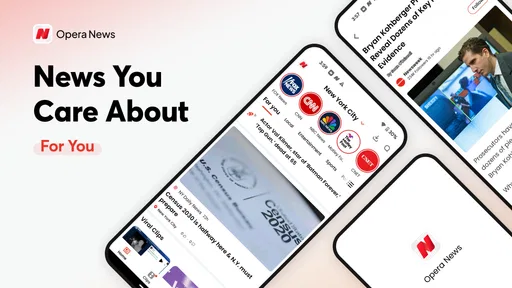
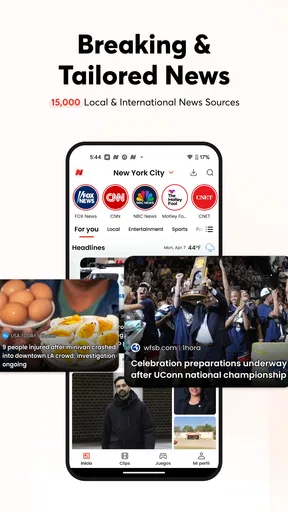
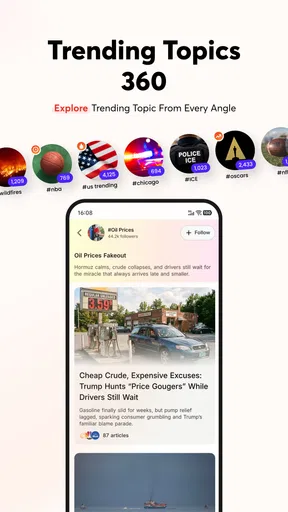
Once you open the app, you're greeted with a clean and organized interface. It’s divided into different sections like ‘For You’, ‘Trending’, and ‘Local’, which makes it easy to find exactly what you’re looking for. Setting up your preferences is a breeze, allowing you to tailor your news feed to suit your interests. I loved that you can select topics ranging from politics and sports to entertainment and technology. This personalization ensures that the news you care about is always front and center.
Features Worth Highlighting
One of the standout features of Opera News is its ability to deliver real-time updates. I never have to worry about missing out on breaking news because the app sends notifications directly to my phone. It’s like having a personal news assistant!
The ‘Local’ section is another fantastic feature. It allows you to keep up with what’s happening in your immediate area. Whether it's local elections, community events, or even traffic updates, Opera News has got you covered. It’s a game-changer for anyone who wants to stay informed about their community without scouring multiple sources.
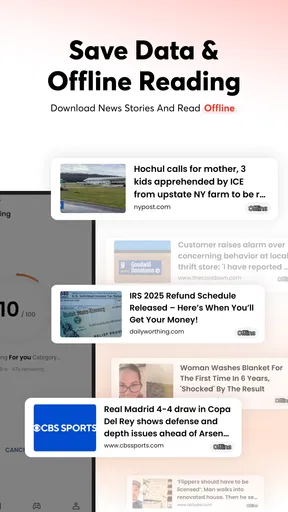
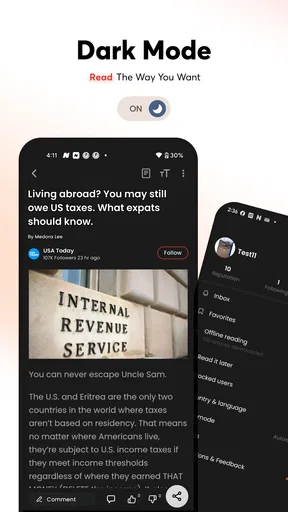
The app also includes a ‘Night Mode’, which is perfect for late-night news binges without straining your eyes. Plus, the offline reading option means you can catch up on articles even when you’re not connected to Wi-Fi. I found this super handy during my morning commute.
User Experience and Design
In terms of user experience, Opera News is top-notch. The app runs smoothly and loads articles quickly. The design is intuitive, with a minimalist aesthetic that makes reading pleasant. I appreciate the lack of clutter, which allows the content to shine. Each article is presented clearly, and the text is easy to read.
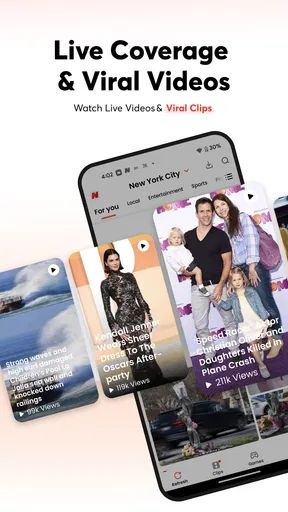
Another feature that I found interesting is the integrated video news. It's a great way to consume news on the go without having to read lengthy articles. The videos are informative and well-produced, adding a dynamic element to the app.
Final Thoughts
Overall, using Opera News: breaking & local has been a rewarding experience. The app has a lot to offer, whether you’re a news junkie or someone who just wants to stay informed. Its user-friendly interface, coupled with its comprehensive coverage, makes it a must-try for anyone looking to enhance their news consumption.
So, if you’re in the market for a reliable and feature-rich news app, give Opera News a shot. It’s got all the bells and whistles to keep you informed and engaged. Happy reading!
Verdict
Strengths of Opera News: breaking & local
- User-friendly interface enhances navigation.
- Personalized news feed based on preferences.
- Offline reading mode saves data.
- Wide range of news categories available.
- Regular updates keep content fresh.
Limitations of Opera News: breaking & local
- Ads can be intrusive at times.
- Some articles lack in-depth coverage.
- Occasional lag on older devices.
- Limited customization for notifications.
- Requires stable internet for updates.
Other Releases by Opera
View All
Opera Mini: Fast Web Browser
Communication4.6

Opera: Private Web Browser
Communication4.8

Local News: Headlines & Alerts
News & Magazines4.5
Similar Picks in This Category
View All
Google News - Daily Headlines
Google LLC4.0

X
X Corp.4.8

Flipboard:Your Social Magazine
Flipboard3.4

Hindi News by Dainik Bhaskar
Dainik Bhaskar Group4.0

Way2News Daily News App
Way2News ( Formerly Way2SMS )4.6

SmartNews: Live News & Rewards
SmartNews, Inc.3.8
Frequently Asked Questions
What is Opera News: Breaking & Local, and how does it work?
Opera News: Breaking & Local is a personalized news app that curates the latest breaking news and local updates directly to your device. Using AI technology, it gathers news from various sources to present a tailored feed based on your interests and location. This ensures you stay informed about global and regional events that matter most to you.
Is Opera News free to use, and are there any in-app purchases?
Yes, Opera News is free to download and use. While the app itself doesn't require payment, it may offer in-app purchases for premium features or ad-free experiences. However, most users find the free version comprehensive and satisfying for daily news consumption without needing to make any purchases.
How does Opera News ensure the accuracy and reliability of its news content?
Opera News aggregates content from a wide array of reputable sources, ensuring diverse perspectives and high-quality journalism. The app uses AI and machine learning to filter out unreliable stories and prioritize credible reporting. Users are encouraged to verify news through multiple sources for the most accurate information.
Can I customize the types of news I receive in Opera News?
Absolutely! Opera News offers extensive customization options, allowing you to filter news by categories such as politics, technology, entertainment, sports, and more. You can also follow specific topics or regions to receive updates tailored to your interests. This personalization ensures a relevant and engaging news experience.
Does Opera News consume a lot of data, and how can I manage it?
Opera News is designed to be data-efficient, but like any app, data usage depends on the frequency and duration of use. To manage data consumption, you can adjust settings to limit background data usage, receive news updates over Wi-Fi only, or reduce the frequency of updates. These options help you control how much data the app uses.
